Deep work
Code reviews, support mail, a quick call, a bug report. Knowledge work is a string of interruptions, and each one costs you the context you'd built up. Don't Forget keeps that context attached to the task, and shows you where your focus actually went.

Free · iPhone, iPad, Mac & Apple Watch · No account needed
Sound familiar?
- “Your calendar says you had a free afternoon. Your commits say otherwise.”
- “You switch to a "five-minute" support ticket and lose the rest of the morning.”
- “At standup you can't quite remember what you did yesterday.”
Lives in your Mac's menu bar
The current task and timer sit in the menu bar. Press Control-Option-D from any app to switch, pause or pick up a task, with keyboard shortcuts for everything. A small floating widget can keep the task in view while you work.
- Pauses on its own when your Mac sleeps, locks or starts the screen saver
- Resumes if you're back within the window you choose
- No screen recording or keystroke monitoring
Time that reflects reality
Tracked time is the time you actually focused. Pauses, breaks and switches are recorded as they happen, and a check-in after hours of running catches the timer you forgot. It's time tracking for yourself, not a timesheet for a manager.
Know what you did yesterday
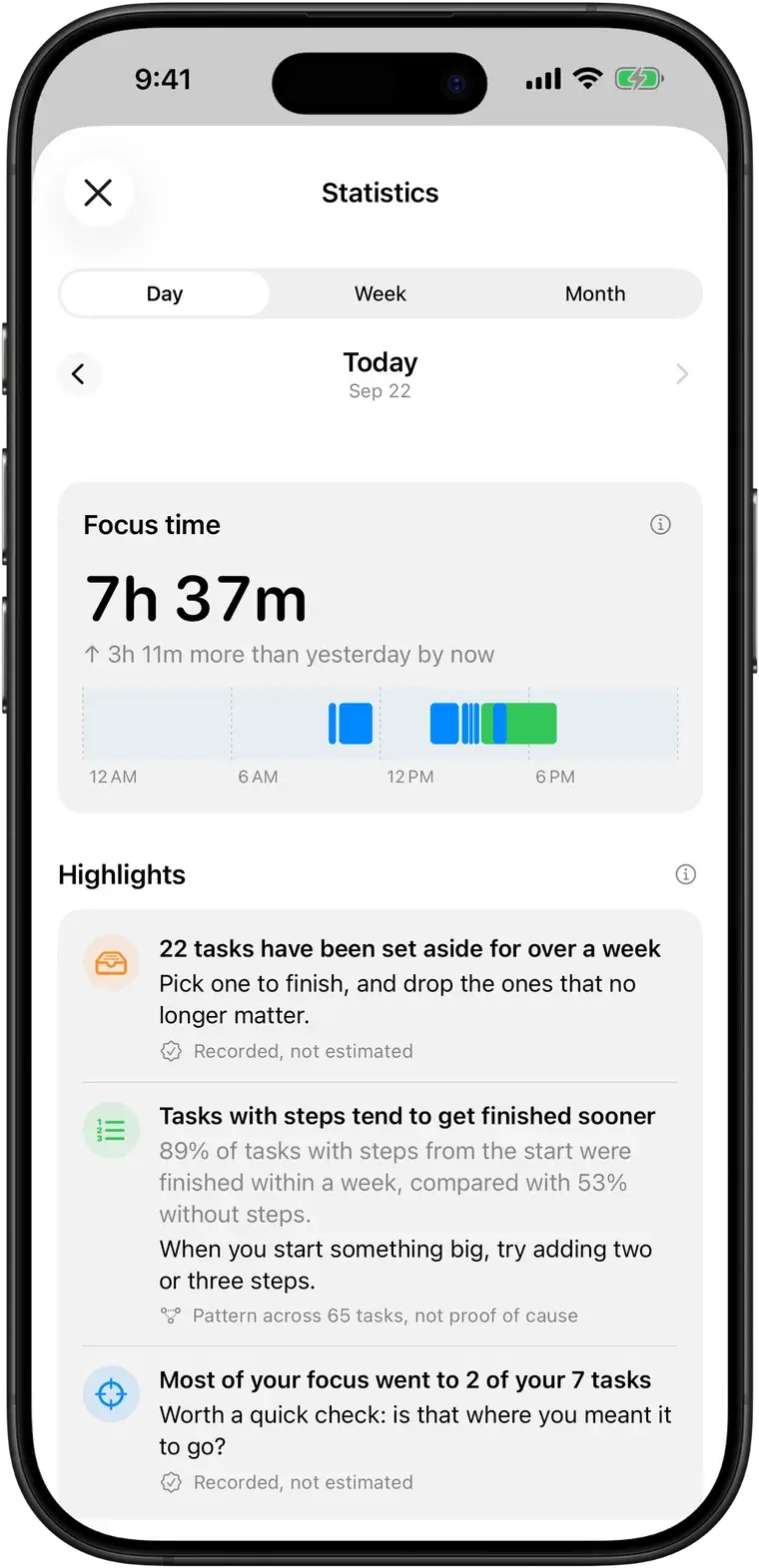
The activity log and statistics show what you worked on by day, week or month, and how your sessions ended. Export to CSV or JSON when you need the numbers somewhere else.
Plan the next thing without starting it
Queue what's next with Do Next or Do Last, set due dates and reminders, and group work into folders. Up Next ranks everything in one order across your Mac, iPhone, widgets and Watch.
Common questions
More in the full FAQ.
What does the Mac app do?
It lives in the menu bar. Click the timer (or press Control-Option-D from any app) to see your current task, switch, pause, or pick something up again, and keep a small floating widget on screen if you like. When your Mac sleeps, locks or starts the screen saver, the running task pauses, and it resumes if you're back soon.
Don't Forget for MacWhat if I walk away and forget to pause the timer?
On Mac, the timer pauses on its own when your Mac sleeps, locks or starts the screen saver. On iPhone, if you come back after a long time with the timer still running, the app asks if you were still working. You can also set when you actually stopped with "stopped at", or adjust the time by hand, so a forgotten timer doesn't skew your day.
Can I export my data?
Yes. Settings lets you export your tasks and tracked time as CSV or JSON.
Next time you get pulled away, you'll know where you were.
Free on iPhone, iPad, Mac and Apple Watch. No account, no subscription.