
Steps
Know the very next step
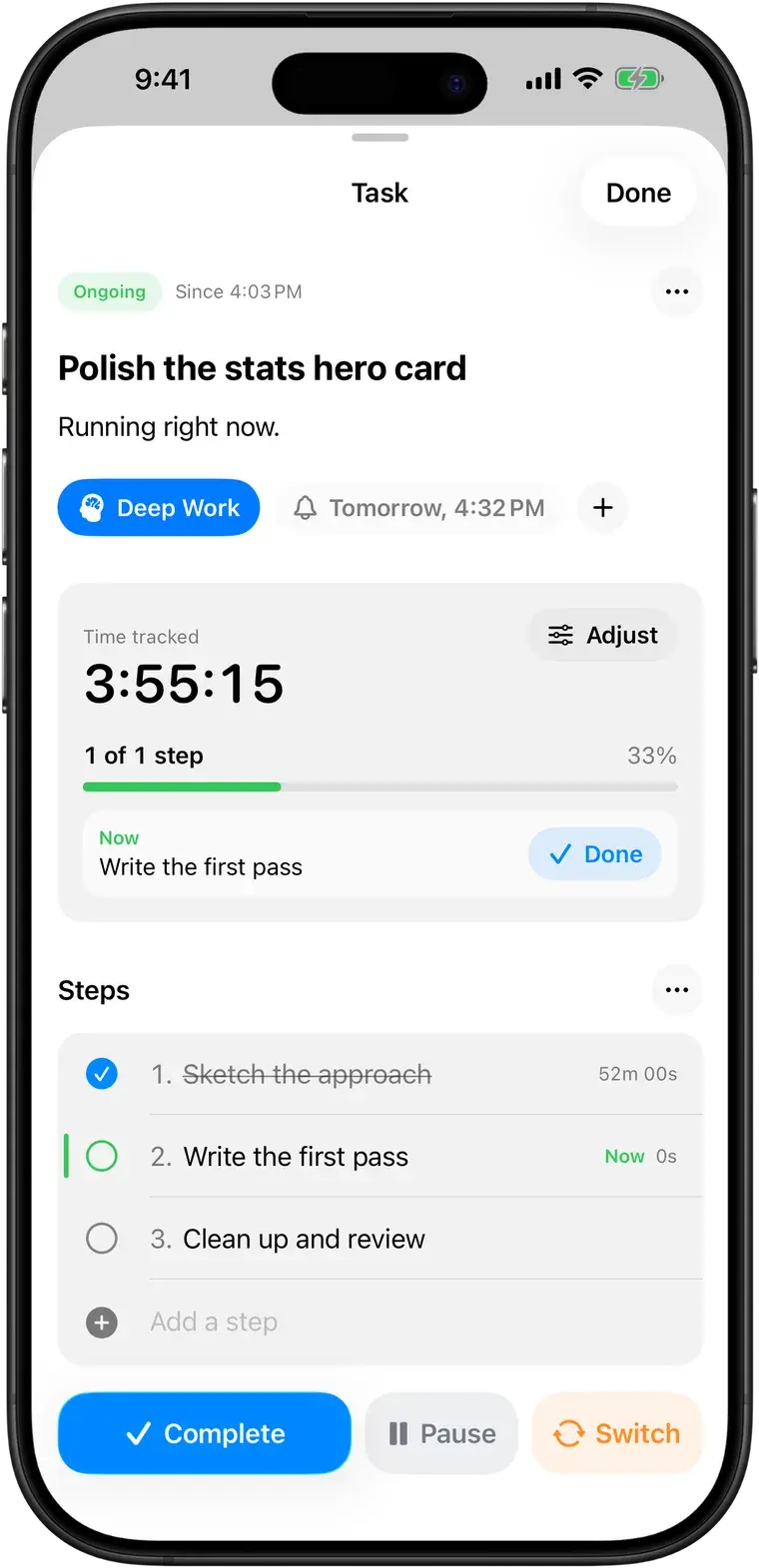
Break big tasks into steps and see only the one you're on. Each step gets its own time, so you learn how long things really take.
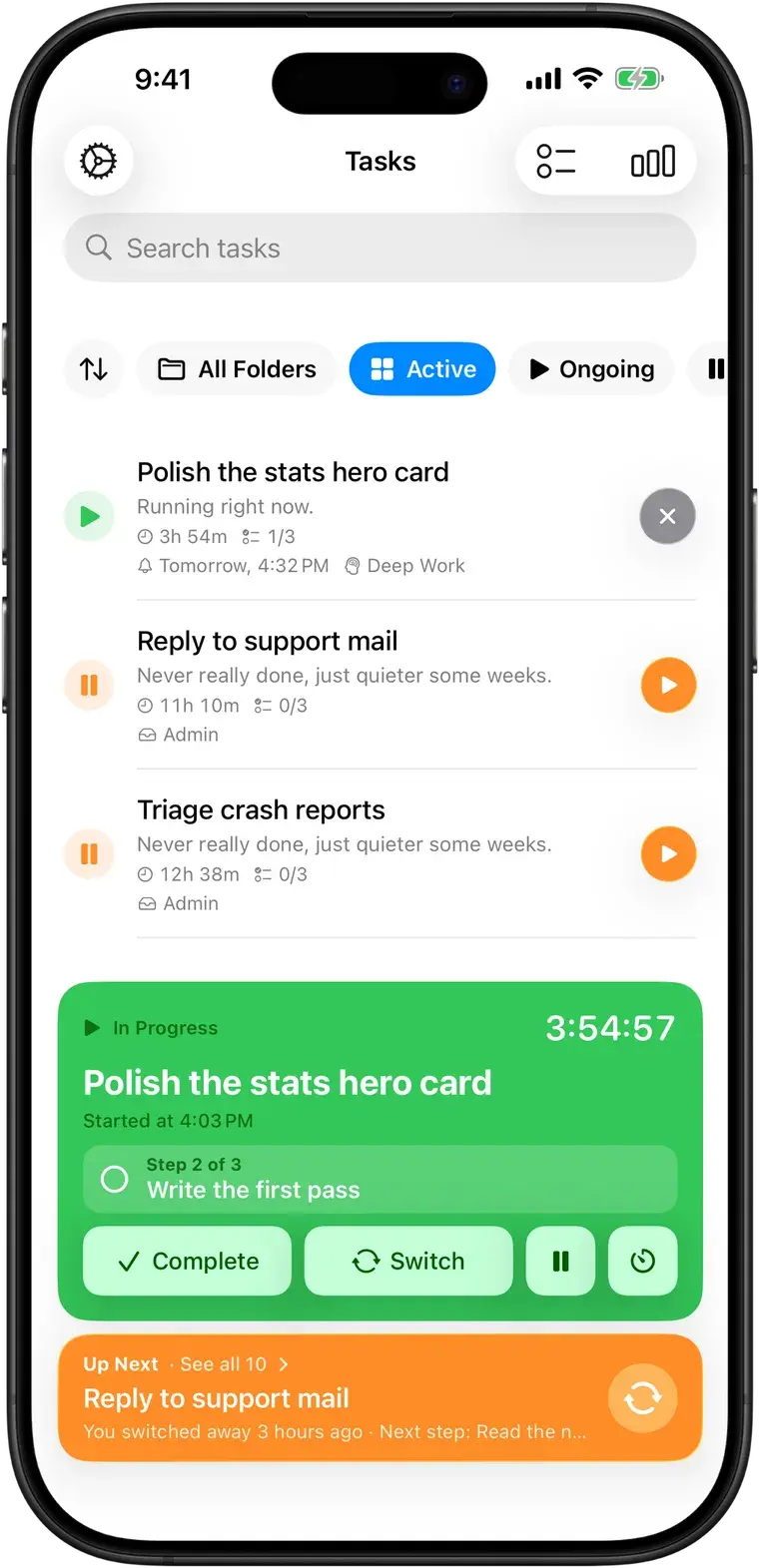
The focus timer that expects interruptions. Switch in one tap, and the task you left waits with its timer and next step, right where you left it. Coming back takes seconds, not half an hour.
Free · iPhone, iPad, Mac & Apple Watch · No account needed
An hour later you're staring at the screen, trying to remember what you were doing before. The task isn't hard. Finding your way back into it is.
Most productivity apps assume you'll sit down with a list and work through it in order. Don't Forget is for days that don't go that way. It keeps your place for you, so an interruption costs you a detour, not the whole afternoon.
How it works
There's no setup and no method to follow. Most of the time you only need three buttons.
Name what you're working on and go. The timer runs and your task stays front and center, on your Lock Screen, in the menu bar and on your wrist.
Something urgent? Tap Switch. Your task is parked with its time and steps saved, and the new one starts timing. Nothing to write down first.
A minute later a gentle notification asks: "Go back to this task?" Up Next keeps it at the top with your next step. Resume in one tap.
▶ In Progress
Answer Sam's question
Started just now
Write the project update
Go back to this task?
Write the project update
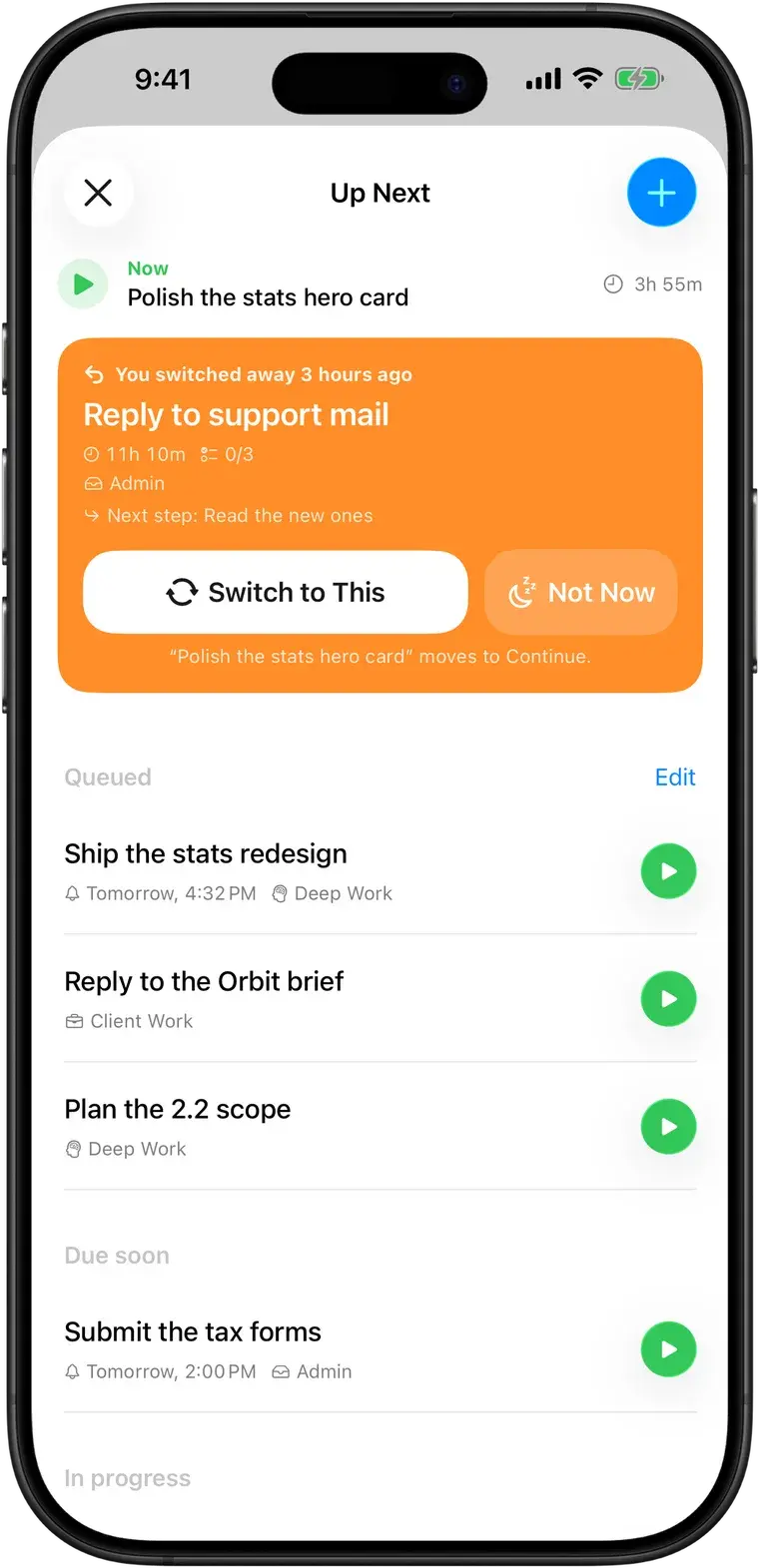
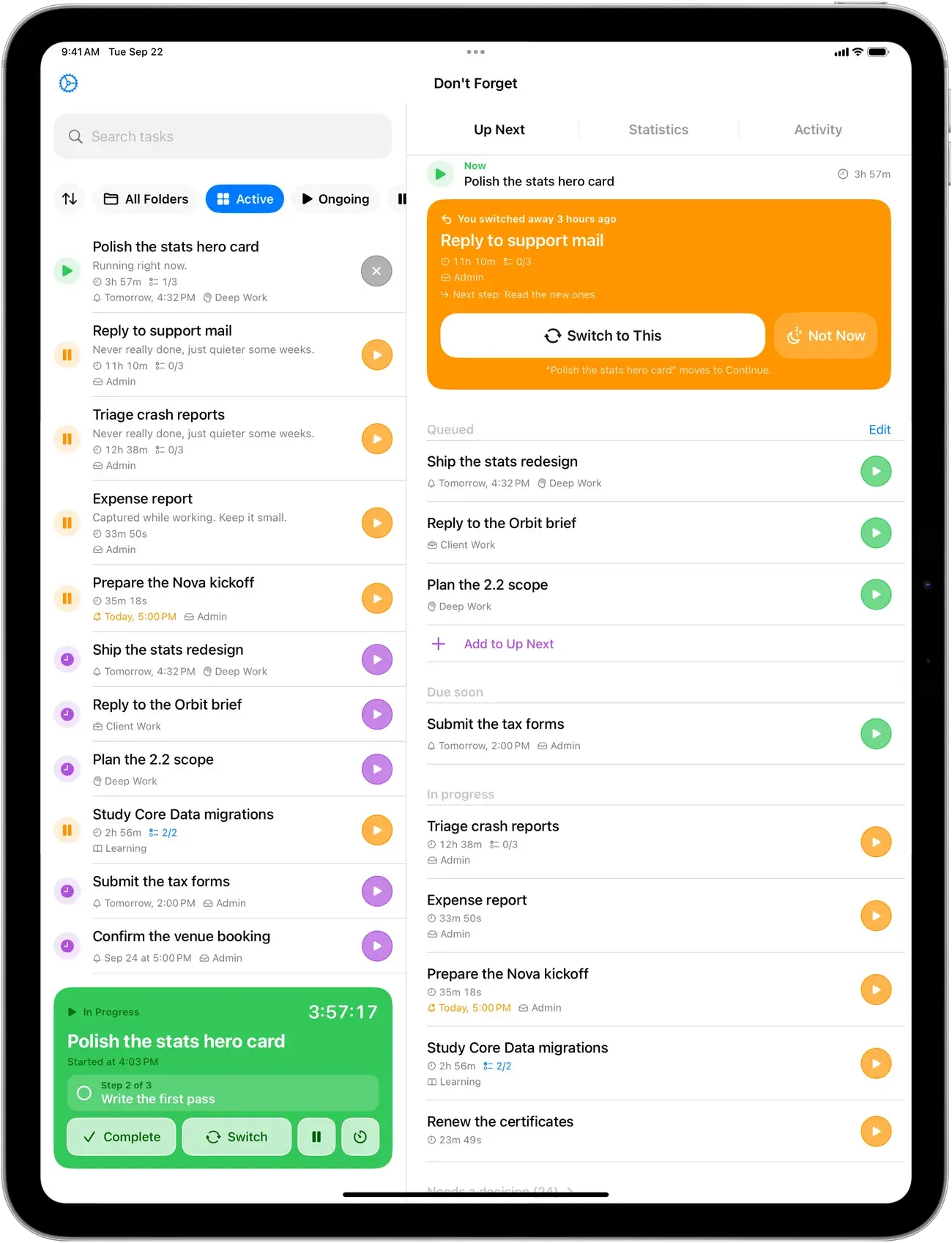
Up Next is one running order for what to work on next. The task you switched away from comes first, with how long ago you left it, the time already spent and your next step. Then your queue, then what's due soon.
What you get
Everything in Don't Forget exists to make one of two things easier: staying on the task in front of you, or getting back to it.
Break big tasks into steps and see only the one you're on. Each step gets its own time, so you learn how long things really take.
Focus time by day, week or month, how often you were pulled away and how your sessions ended. Recorded from your real sessions, never guessed.
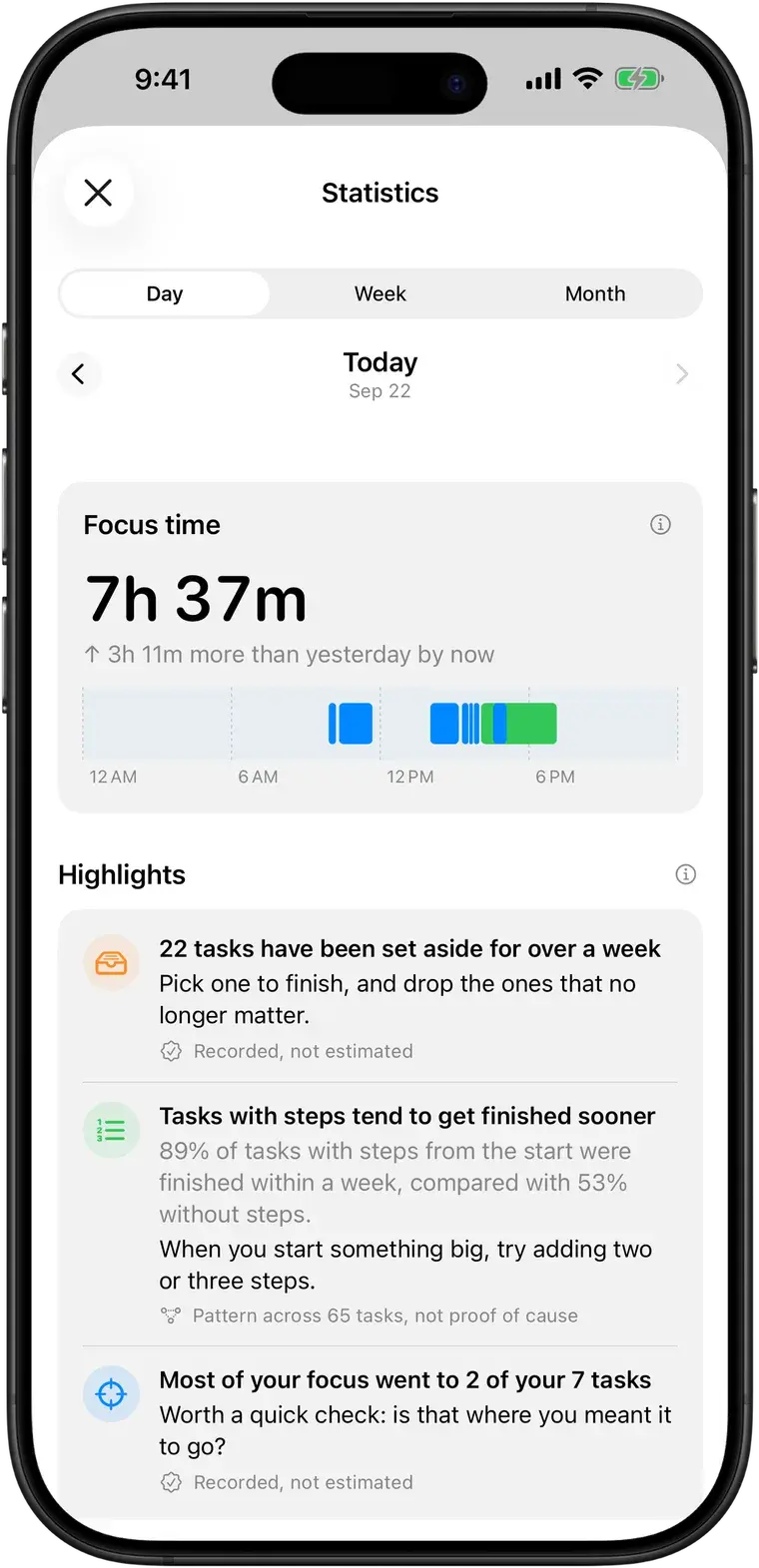
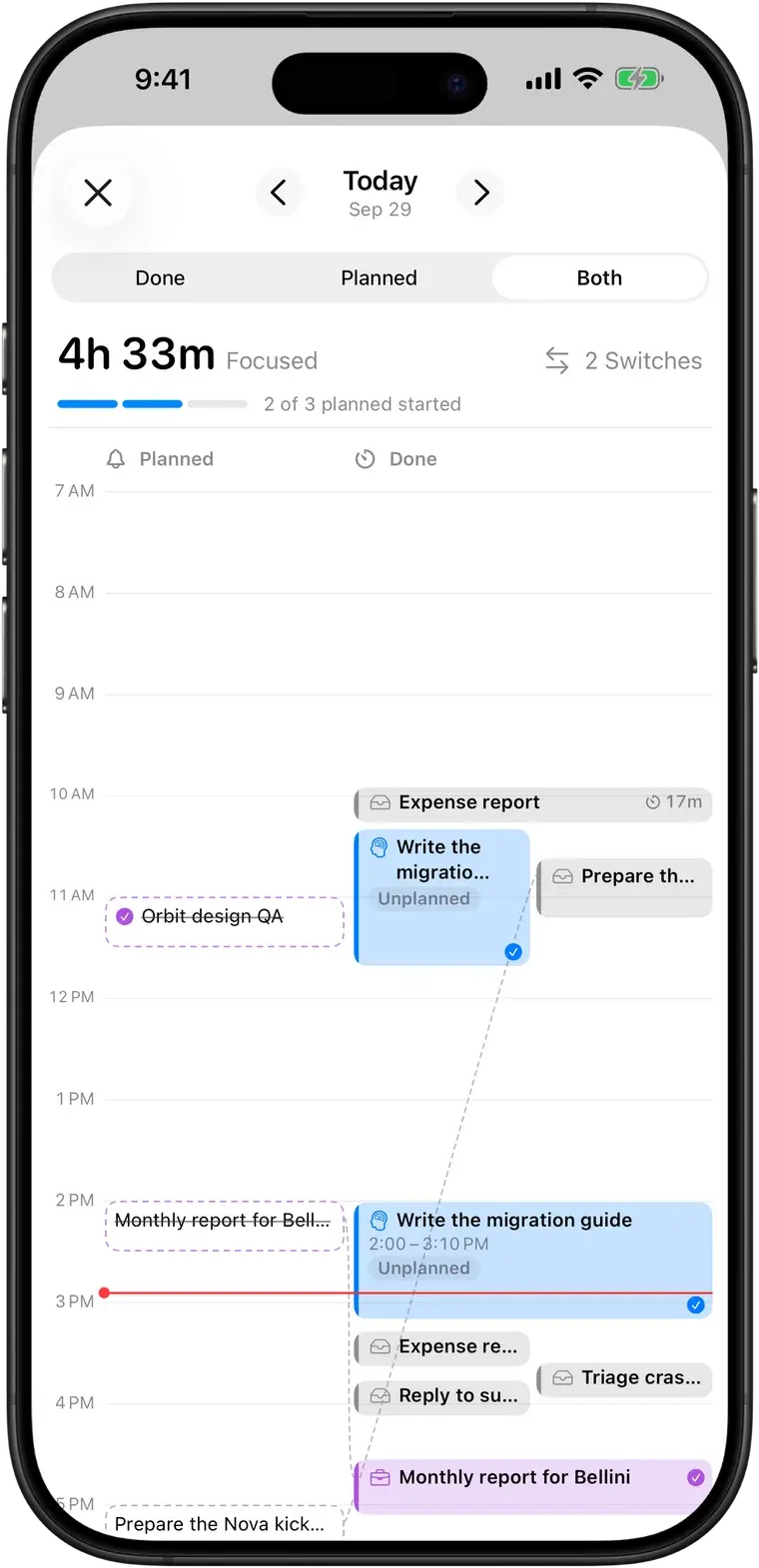
Timeline lays your day on an hour grid: what you actually worked on, when, and every switch. Put it next to what you planned with Pro.
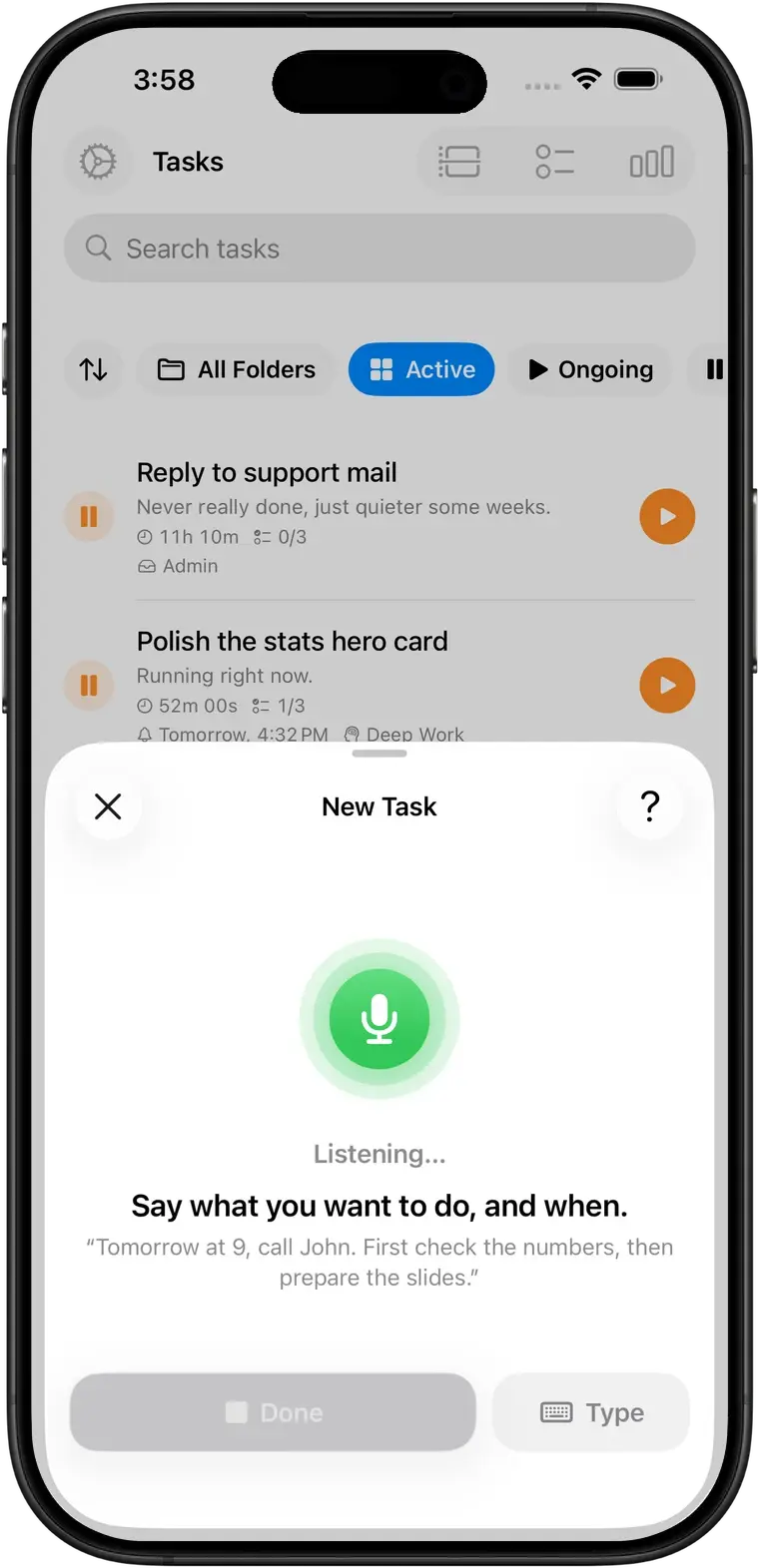
Tap the mic and speak. The title, steps, reminder and folder fill in, and you check it before saving. Transcribed on your device, never sent anywhere.
One running order for what to do next: the task you left, then your queue, then what's due soon.
Park ideas without committing to them. They're never pushed at you.
15, 25 or 50-minute sessions with 5 or 10-minute breaks, when a rhythm helps.
Pause any time. On Mac the timer pauses when you lock the screen or walk away.
Forgot to stop the timer? Set when you really stopped, and your day stays accurate.
Plan tasks for later, sort them into folders, and add photos when words aren't enough.
Everywhere you work
Start on your Mac, glance at your Watch, pick it up on your iPhone. Everything syncs through your own iCloud account.
Live Activity and Dynamic Island keep your task visible in any app. Home and Lock Screen widgets start a task in a tap.
Lives in the menu bar with a floating widget, keyboard shortcuts and auto-pause when you step away.
Don't Forget for MacTwo columns: your tasks on one side, Up Next or statistics on the other.
Your current task and timer on your wrist. Tick off steps, pause, complete, or start what's next.
Different by design
01
It doesn't ask you to stop switching. It makes switching cheap and coming back easy.
02
Nothing to break, nothing that scolds you. Just a clear record of what happened.
03
Every number comes from time you actually tracked. Patterns are labelled as patterns, not causes.
04
Syncs through your own iCloud. Pro is a single purchase, with no subscription and no ads.
Use cases
A timer that expects you to switch, and keeps your place when you do.
Read moreStop losing the thread every time someone needs you right now.
Read moreFor developers, designers and remote workers who get pulled in five directions.
Read morePomodoro when it helps, an open timer when you're in the zone.
Read morePricing
No subscription, no ads, no account.
Everything you need to focus and come back.
$0
For when you want to understand your patterns.
$19.99 once
US price. The App Store shows the price for your region.
FAQ
Don't Forget is a focus timer for one task at a time. You name what you're working on and start the timer. When something pulls you away, you tap Switch: the task is parked with its time, steps and notes, and the new one starts. A minute later a notification asks if you want to go back, and Up Next keeps the parked task at the top until you do.
Yes. Tasks, the timer, switching, steps, Up Next, Pomodoro, reminders, folders, widgets, the Mac menu bar app, the Apple Watch app, iCloud sync and your daily, weekly and monthly statistics are all free. Don't Forget Pro is an optional one-time purchase ($19.99 in the US; the App Store shows your local price).
iPhone and iPad (iOS 17.6 or later), Mac (macOS 14.6 or later) and Apple Watch (watchOS 10.6 or later). One download from the App Store covers all of them.
Yes, through your own iCloud account. There's nothing to sign up for. Your tasks, timers, steps and photos appear on each device signed in to the same Apple Account.
No. It's a productivity tool, not a medical device or therapy, and it doesn't diagnose or treat anything. Many people with ADHD use it alongside whatever support they already have.
Don't Forget is designed, built and maintained by Francesco Leoni, an independent developer. It's an app that tries to be kind to the way your brain works, and it gets better from what people write in.
Free on iPhone, iPad, Mac and Apple Watch. No account, no subscription.